
Most gamers usually prefer playing games on computers rather than using gaming consoles. Wondering why? The reason is that it gives them more freedom and better control over the gameplay. Although playing on a PC is amusing, you might face problems.
You might be thinking about what kind of problems gamers have to deal with. Well, these issues vary from hardware breakdown to software malfunctioning and more. More often, performance lags and graphical glitches often occur due to unreliable networks.
If you, too, are dealing with a technical or functional glitch that’s preventing you from playing your favorite game, the article is for you. Here, you will find the most common problems you experience while gaming and the quick ways to fix them without professional assistance.
Sudden Game Crash
Nothing seems more annoying than a game crash, mainly when you are on the verge of winning. Going back and repeating the hours of gameplay to catch up with the pace is challenging and exasperating. But you have to do it to reach the level you were at.
When your game crashes without any prior sign, there’s nothing much you can do – other than wait. However, there are a few things you can take care of to prevent such situations in the future. Ensure your computer has a faster processor, sufficient RAM, and vast storage space.
You should have at least Intel i5 2.5GHz with 8 cores processor to run resource-intensive games. A 500 GB SSD and 8 GB RAM will allow you to download high-end games from Steam. Visit online tutorials to learn more about how to use Steam on Mac.
Frequent Lags & Delays
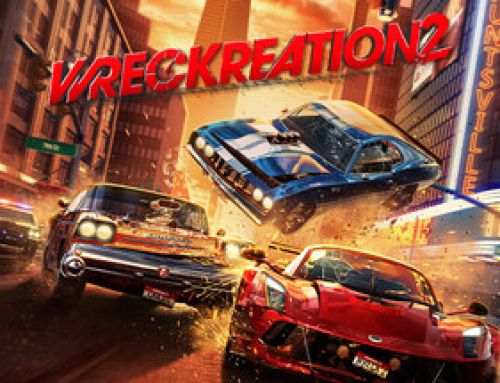
Imagine playing your favorite car race game that you are about to win; you are soaring entirely in the game’s universe. No one wants to think about the situation when you are about to reach the last checkpoint in Asphalt 9: Legends and the game lags.
Now, you are snapped out of the game universe and slammed into the real world. Game lags can happen for many reasons, such as slow internet, unfunctional hardware components, and slow technology, to name a few. You need to identify the actual reason to get it fixed.
Unstable internet is a common problem that causes lags. Connecting to the internet via an Ethernet cable gives you reliable connectivity. You can also reset your network devices, including the modem and router, for improved signal strength.
Consistent Graphical Glitches
Distorted videos can take away all the excitement, even if you have the best bandwidth and the fastest technology. Experiencing visual inconsistencies once or twice is not a big deal, but what if it happens time and again?
In this case, your video card should be at fault, so the problem lies with the GPU. Ensure your graphics card is in good condition and your computer has the latest GPU drivers installed. If that doesn’t fix the problem, your computer needs a thorough cleanup.
Excessive heating of the laptop can lead to many technical and functional problems; pixelated visuals are among them. If your laptop is overheating, it indicates that the fans are not working properly due to dust inside the device. Clean it properly using a can of compressed air.
So these are the most common problems you face when playing a game on your computer. Let’s now learn the ways to avoid these problems from occurring.
Tips to Ensure A Smooth Gameplay

Several best practices keep your laptop in good condition and enable you to play smoothly for longer hours.
- Ensure Sufficient Storage
< Even if you are playing online, you need storage space for the streaming apps like Steam to work properly. If you are an avid gamer, you should clean your computer regularly to ensure enough space to store high-end games.
- Declutter Your Computer
A responsive computer will allow for smooth gameplay. So, before you start your game, ensure you don’t have problematic apps and programs installed on the computer. Remove any outdated apps, as they might prevent your computer from working properly.
- Deactivate Login Items
Game crashes are common and affect your overall gaming experience. You must ensure that enough system resources are available to prevent your games from crashing constantly. So stop login items from activating automatically each time your system boots.
- Learn Keyboard Shortcuts
Getting familiar with the keyboard shortcut keys will make you more efficient and responsive during the gameplay. You don’t have to switch between your mouse and keyboard to control your game. In addition, using a gaming keyboard and mouse can make a big difference.
- Connect External SSD
Sometimes, upgrading the internal storage is not practical and cost-intensive. So, connecting an external solid-state drive for faster data read-write operations is a potential solution. It will prevent you from issues that occur due to a lack of storage space.